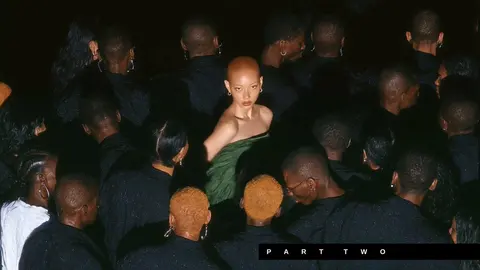
RT V:这是第二部分,这次是用Seedance 2.5制作的。这是最终剪辑版,由较短的片段拼接而成,我对最终效果非常满意……
观点分析 · 2026/08/05
作者使用 Seedance 2.5 制作视频第二部分,通过将长片段拆分为短镜头,提高了对构图、角色位置、车辆、节奏和最终剪辑的控制。渲染质量显著提升,皮肤纹理更真实。多模态引用功能实用,但一次不超过七个参考。尽管成本更高,但节省时间,值得投资。
文章提供了使用 Seedance 2.5 的实际经验,包括工作流程优化和成本效益分析,对视频创作者有参考价值。
RT V
Here’s Part 2, this time made with Seedance 2.5.
This is the final cut, built from shorter generations, and I’m really happy with how it came together.
My first attempt was one continuous 30-second generation, but it introduced too many mistakes. At 2.5’s price, repeatedly rerolling a long clip just wasn’t practical.
Breaking the sequence into shorter shots gave me much more control over blocking, character placement, vehicles, pacing and the final edit.
The biggest upgrade is the rendering. Skin has more texture and looks far less plastic than it often did in 2.0.
Multimodal referencing is genuinely useful too. I used character, vehicle and environment sheets, but never needed more than seven references at once.
Is it worth the extra cost? Yes, if time matters. I think 2.0 could reach a similar result, but it would take more generations and a lot more work.
A few example prompts in next posts 👇
Made via @dreamina_ai
在原站观看视频
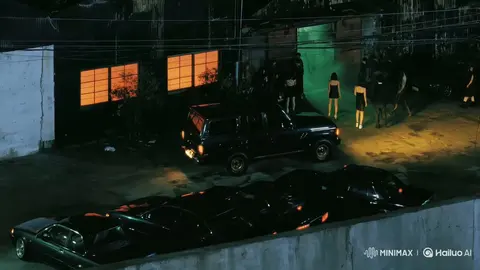
<hr />V: Second go with @Hailuo_AI #MiniMaxH3
This time I ran gritty Midjourney v8.2 stills through H3 and used a Suno track as reference.
Big takeaway: simpler prompts worked better. H3 understood the intent, stayed close to the original aesthetic, and synced the movement to the track
在原站观看视频